Choose the original
Select a JPEG, PNG, HEIC or HEIF from your phone or computer. An original camera file is more likely to retain its capture date than a copy saved from a messaging app.
Photo date stamps · Australian English
A road trip, a first birthday, a garden taking shape. Make the day visible on the photo itself, so it stays with the picture when you share it or add it to an album. Photo Timestamp reads the capture date from your original file and lets you choose how the stamp looks.
Add a date to my photosOpens the English editor. Try up to 5 photos per batch without an account.
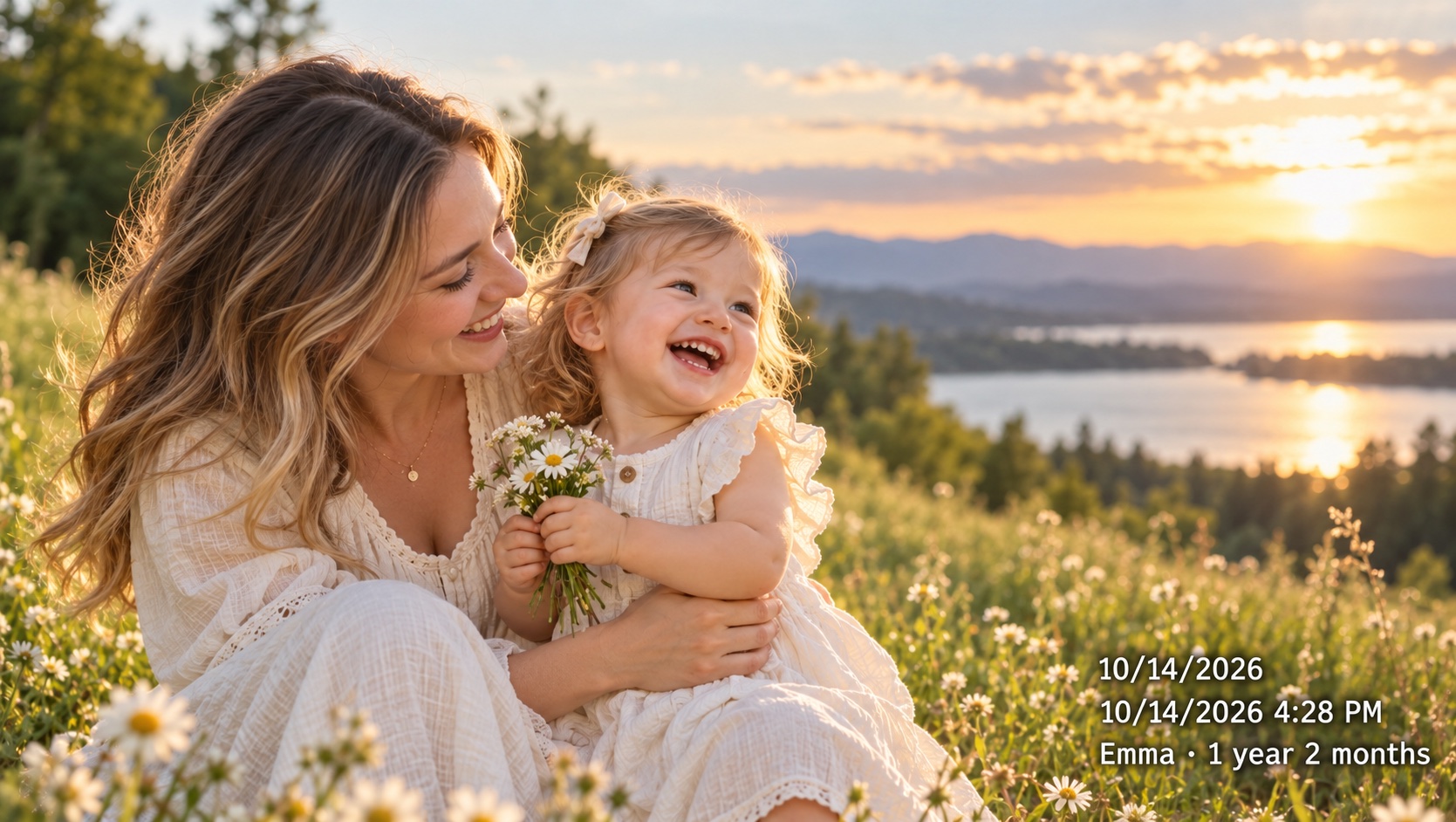
Select a JPEG, PNG, HEIC or HEIF from your phone or computer. An original camera file is more likely to retain its capture date than a copy saved from a messaging app.
Review the detected date, then choose a format, font, colour and one of nine positions. Check that the stamp sits clear of faces and other details.
Download the current photo at sharing quality for free. Pro adds original image dimensions and batch or ZIP downloads. Your source file stays as it was.
Keep the date of a beach weekend or school holiday on the image, even after it leaves your photo library. Use the same format across the album.
Compare the same view over several weeks. A visible date makes a sequence easier to follow; it is a label you can edit, not independent proof of when a photo was taken.
Record a first smile or a birthday. Pro includes baby age stamps and custom dates for a more personal family record. Preview the age before saving.
Choose DD/MM/YYYY for a familiar Australian date, or DD/MM/YYYY HH:mm when the time matters. For an album shared overseas, YYYY-MM-DD keeps the order clear. The format changes the visible stamp; it does not rewrite the original EXIF data.
The browser reads the photo, builds the preview and creates the download locally. Selected photos and their EXIF data are not uploaded to our servers. Account, payment and site analytics requests are separate from photo processing.
Free: up to 5 photos per batch, with one-at-a-time JPEG downloads at sharing quality. Pro: no fixed photo count limit, original dimensions, batch and ZIP downloads, custom date adjustments and baby age stamps. Choose a 30-day, 365-day or lifetime pass with a one-off payment and no automatic renewal. Checkout shows the payment currency.
See Pro passesYes. Select an existing photo and the editor reads its EXIF capture date when available. Review that value before export. Pro lets you replace or adjust the working date.
Without a usable EXIF date, the editor uses the file’s last-modified date and marks the fallback. That may be the day a copy was saved. Check your own records; Pro includes date correction controls.
Yes, HEIC and HEIF files up to 40 MB are converted locally. Some variants cannot be converted; save a JPEG from Photos and try again. The output is a still JPEG without Live Photo video, HDR or depth data.
No. Use a modern browser on your phone, tablet or computer. The editor opens in English, and you can choose a day/month/year stamp.
No. You download a separate JPEG with the date drawn into its pixels. The original image and its metadata remain unchanged.
Batch and ZIP downloads are Pro features. The free editor lets you download the selected photo individually at sharing quality.
Opens the English editor. Try up to 5 photos per batch without an account.