PRIVATE BROWSER PHOTO TOOL
Find a readable photo time stamp style
Compare eight photo timestamp styles, from a simple dotted date to a detailed date-and-time caption. See how the editor’s semibold sans-serif lettering looks with different formats, then choose the date order and placement that suit your photo.
Try it on your photo →Compare the styles ↓Eight timestamp format styles
Compare the same illustrative date across dotted, ISO-style, slash, US, European, Chinese, compact, and custom formats. These are date-format variations, not eight separate font families. The editor also offers 20 font styles: three free choices and seventeen Pro choices. The previews use a cropped sample photo; check your own image in the editor before exporting.
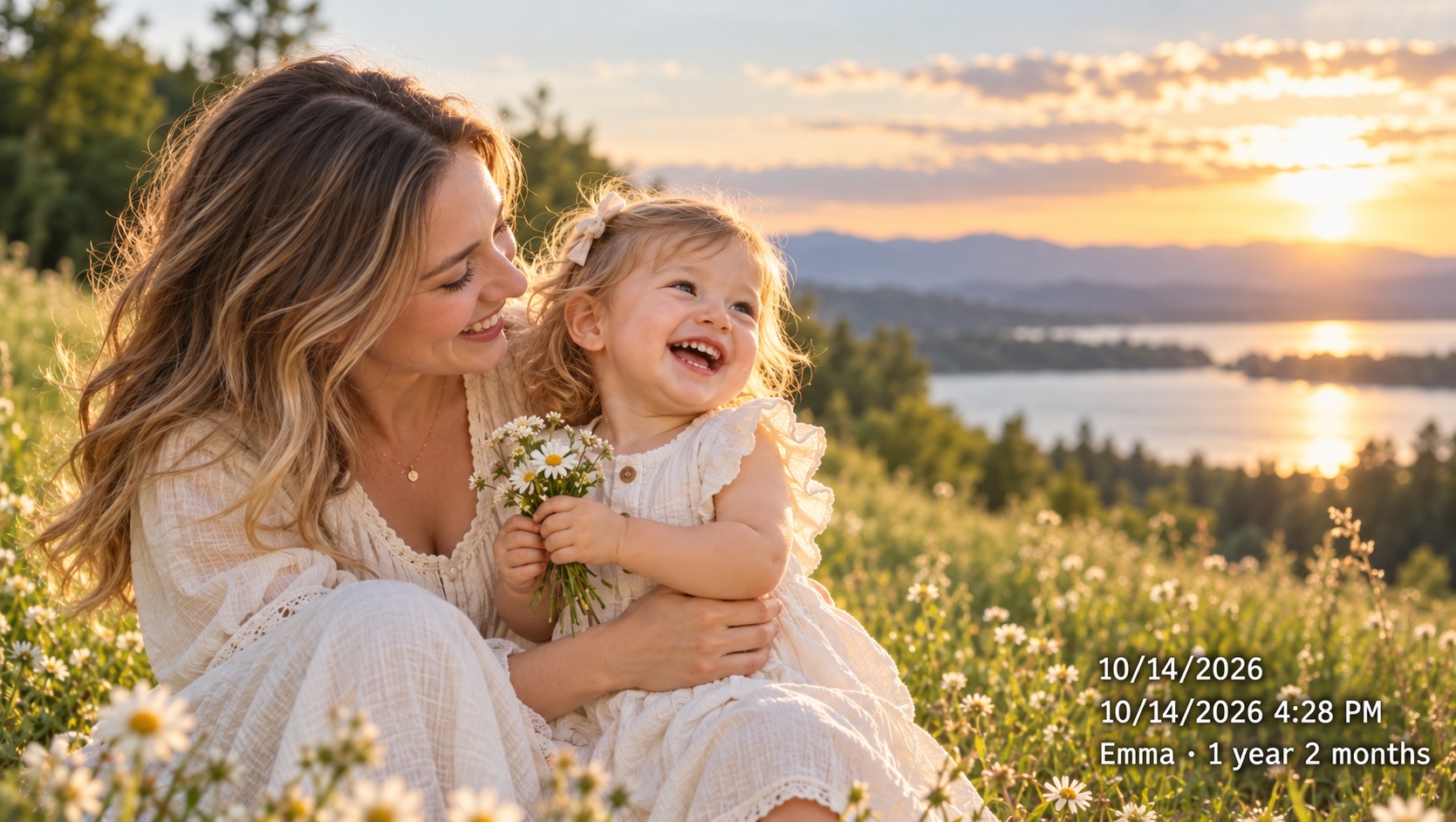 2026.10.27
Family album
YYYY.MM.DDA short dotted date keeps a family memory easy to place without adding an unnecessary clock time.
Try this format in the editor →2026-10-27 16:28:09Detailed photo record
YYYY-MM-DD HH:mm:ssInclude seconds when comparing a sequence. A visible caption is a label, not independent proof of when a photo was taken.
Try this format in the editor →2026/10/27Everyday sharing
YYYY/MM/DDA year-first slash format is compact and keeps the year obvious when an image leaves its original album.
Try this format in the editor →10/27/2026 04:28 PMUS date and time
MM/DD/YYYY hh:mm AM/PMUse month-first order and a 12-hour clock for readers who expect familiar US date conventions.
Try this format in the editor →27/10/2026Day-first album
DD/MM/YYYYChoose day-first order for an audience that reads dates this way. Keep the convention consistent across the whole collection.
Try this format in the editor →2026年10月27日Chinese date
YYYY年MM月DD日Written year, month and day markers make the order explicit for Chinese-language family albums and prints.
Try this format in the editor →20261027Compact date
YYYYMMDDEight digits take less horizontal room. This works for a repeatable record system when readers already know the order.
Try this format in the editor →Trip · 2026.10.27Custom caption · Pro
Trip · YYYY.MM.DDAdd a short fixed label with Pro custom formatting. Keep personal details out of captions you intend to share publicly.
Explore Pro custom formats →Choose the format before you choose the placement
The format determines how much space a timestamp needs. A dotted date such as 2026.10.27 is quiet enough for a family album. Adding hours, minutes, and seconds creates a longer caption suited to a sequence of photos. Year-first dates make the order explicit; US and European formats use different month and day positions. Match the convention to your audience and use it consistently. The gallery above shows the pattern, resulting text, and a suggested use for each style.
How the lettering stays readable
Open the font menu to compare 20 timestamp styles side by side. Each choice shows the date and time in that font, so you can judge the shape of the numbers before selecting it. Start with a clean, simple style for everyday photos, a serif for an album, or a monospaced style for a sequence of progress shots. Styles marked Pro require Pro access. Font size scales with the image, and longer captions shrink when necessary to stay inside the edges. The backing is useful on busy or bright backgrounds, but placement still matters: leave faces, handwritten notes, and important scene details unobscured. Use the actual preview to judge the result on your own device.
Understand the format tokens
YYYY means a four-digit year, MM a two-digit month, and DD a two-digit day. HH is the 24-hour clock; hh is the 12-hour clock, which should be paired with AM/PM. Lowercase mm means minutes and ss means seconds. The case matters: MM and mm are not interchangeable. Built-in presets handle these combinations for you. Pro custom formatting lets you combine supported tokens with a short fixed label, such as Trip · YYYY.MM.DD, without needing to upload a font.
Match detail to the photo’s purpose
For a printed memory, start with a date-only style and leave breathing room near the edge. For a progress sequence, include the time if the source date supports that level of detail. Showing seconds does not make an uncertain file time accurate, and a stamped photo does not independently prove when an event happened. For a mixed collection, review the date source on each image before applying a consistent style. A readable, correct short date is more useful than an elaborate caption based on the wrong source.
Try a style on your own photo
Open the photo editor, select an image, and check whether the date comes from EXIF or file time. Choose the format and placement, adjust the margin, and generate a preview. The exported JPEG includes the visible caption in its pixels while leaving the original file unchanged. Free supports five photos per batch and individual downloads at original dimensions with higher JPEG compression. Pro adds custom formats, date edits, higher JPEG quality, and batch or ZIP export. Save the original alongside your stamped copy for future changes.
Frequently asked questions
Which timestamp style works best for a family album?
A short date such as YYYY.MM.DD keeps the caption compact and easy to scan. Add hours and minutes only when they help explain the moment or distinguish photos taken on the same day. Check that the stamp stays clear of faces and print-cropping edges.
Can I use an ISO-style date with hours, minutes, and seconds?
Yes. The YYYY-MM-DD HH:mm:ss preset displays a year-first date and a 24-hour time with seconds. It is a readable date format, not a timezone-qualified ISO 8601 timestamp. Verify the underlying date before relying on the displayed sequence.
Can I see each font before choosing it?
Yes. Open Timestamp font under Timestamp settings to see a timestamp sample for every choice. Select the sample you like, then check it on your photo. You can compare styles before deciding, including those marked Pro.
Are custom date formats included in the free version?
The built-in date presets are available in the free editor. Creating your own token pattern or adding fixed caption text uses Pro custom formatting. Free downloads retain the original image dimensions with higher JPEG compression; batch and ZIP export are Pro features.
Can I choose another font family or upload a font?
Yes. Timestamp settings includes 20 font styles, from simple everyday lettering to handwritten and digital looks. Choose directly from the timestamp samples in the menu. Noto Sans SC, Noto Serif SC, and Roboto Mono are included for free; the remaining styles are marked Pro. Custom font uploads are not supported.