
FIND YOUR FONT
Photo Timestamp Fonts
Find a date stamp that fits your photo. Compare the same date and time in every font available in the editor, from quiet album captions to a digital camera look.
Try fonts on your photo →Compare all fonts ↓One timestamp, twenty different looks
Start with the shapes you like, then check them on your own photo. Fonts marked Pro require Pro in the editor.
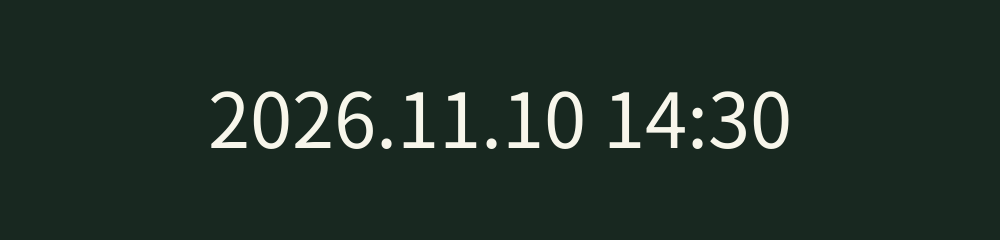
Noto Sans SC
FreeClean, open letterforms for everyday photos and captions that mix dates with Chinese text.
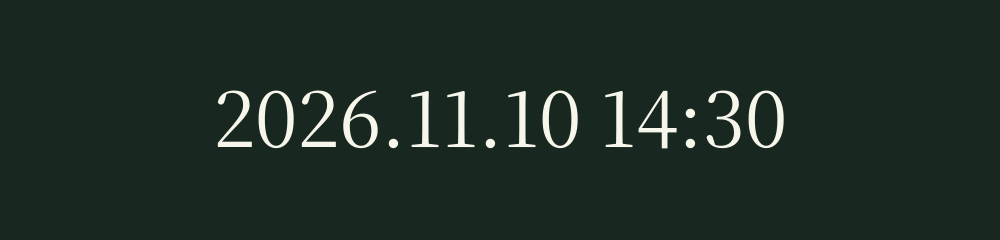
Noto Serif SC
FreeSerif details give album dates a more traditional, printed feel.
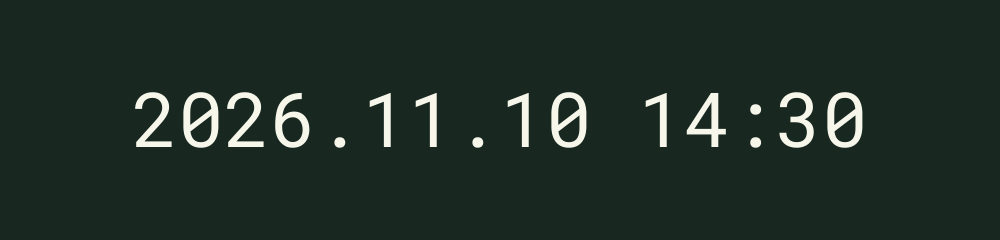
Roboto Mono
FreeEvenly spaced characters make dates and times easy to compare across a photo sequence.
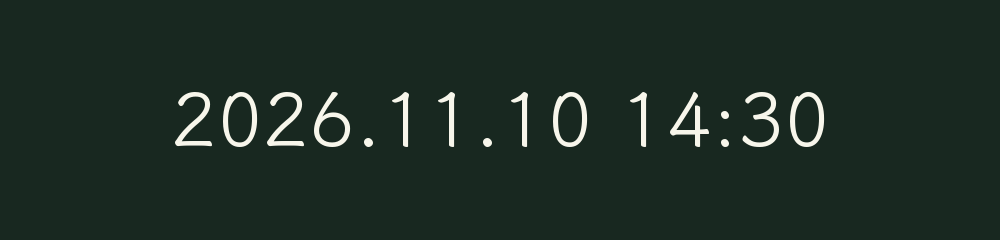
LXGW WenKai
ProA soft, handwritten look for travel memories, family albums, and personal captions.

ZCOOL XiaoWei
ProCompact shapes with a literary feel suit quieter, carefully composed photos.

ZCOOL QingKe HuangYou
ProRounded, compact forms give a short date a playful, poster-like presence.

ZCOOL KuaiLe
ProLively, irregular forms add a casual touch to celebrations and snapshots.

Ma Shan Zheng
ProBrush-inspired forms pair naturally with expressive Chinese captions.
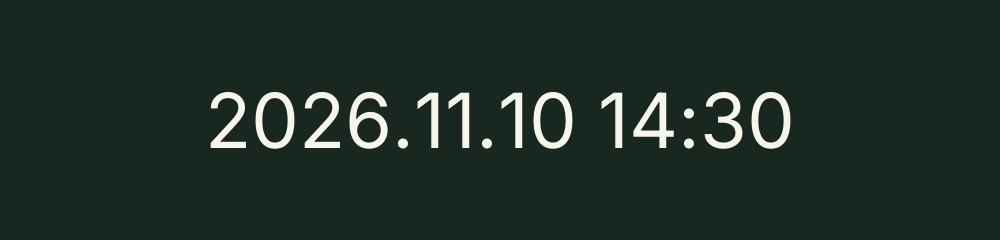
Inter
ProOpen, straightforward digits keep a small timestamp clear against a busy photograph.
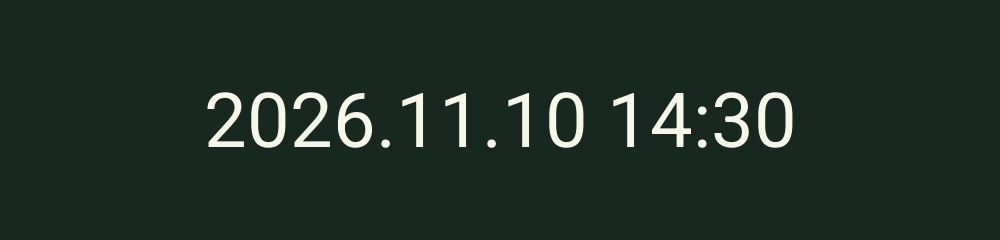
Roboto
ProA familiar, balanced sans serif for everyday photo records.
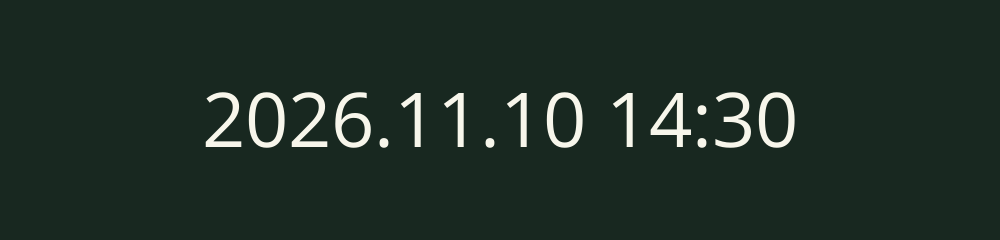
Open Sans
ProWide, open shapes stay approachable in album captions and shared pictures.
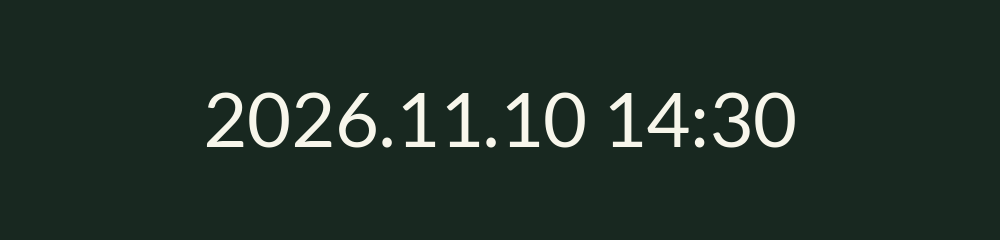
Lato
ProSoft curves bring a warm, understated tone to a date label.
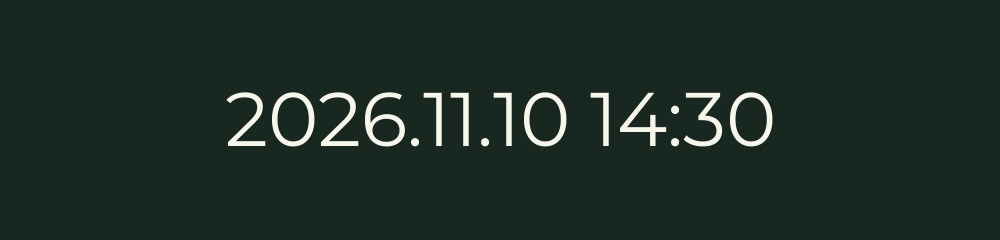
Montserrat
ProGeometric shapes give a date a prominent, graphic look.

Poppins
ProRound geometric forms suit bright photos and simple compositions.

Oswald
ProTall, narrow letters create a compact caption with a strong vertical rhythm.

Roboto Condensed
ProNarrow forms leave more room for a longer date-and-time caption.

Source Sans 3
ProAn unobtrusive sans serif for readable dates that let the photo lead.
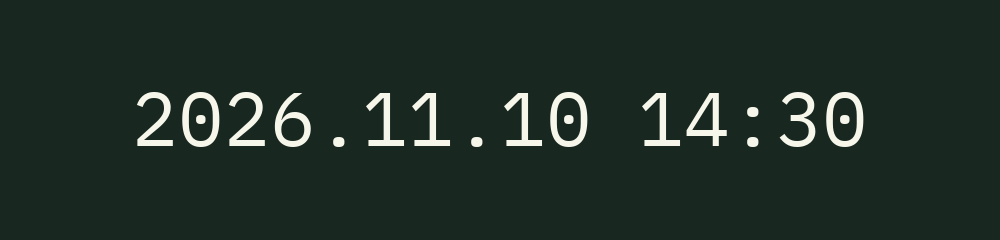
IBM Plex Mono
ProDistinctive monospaced forms give a date a measured, technical character.
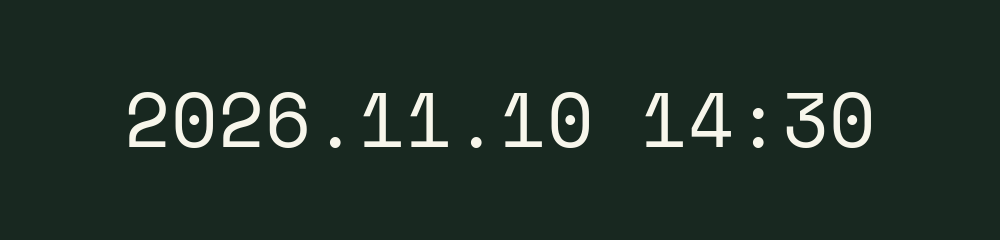
Space Mono
ProA more expressive monospaced style for retro-inspired photo captions.
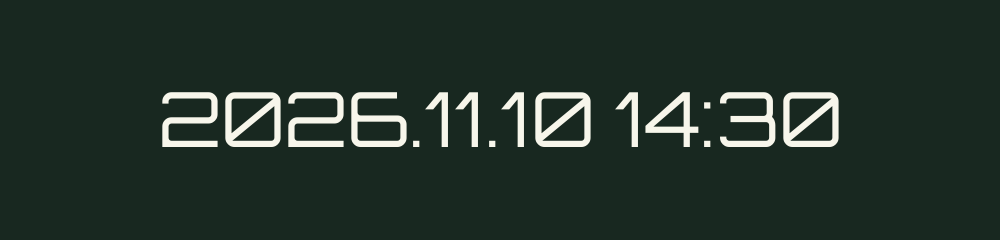
Orbitron
ProAngular, digital-looking digits give a timestamp a futuristic display style.
Choose a font that stays readable
Compare the width and shape of the digits first. A narrow font can leave room for a longer caption, while monospaced fonts give each character equal space. On a detailed background, check the size, color, and position together so the date remains easy to read.
For a softer album style, compare the serif and handwritten choices. For a digital look, start with Orbitron or the mono fonts. A short date usually leaves more of the photograph visible.
Font, format, or date?
A font changes the letterforms. To compare date orders and caption layouts, browse the timestamp style examples or the photo date overlay examples. If the date itself is wrong, see the timestamp editor guide for working-date corrections.
Questions about timestamp fonts
Which photo timestamp fonts can I use for free?
Noto Sans SC, Noto Serif SC, and Roboto Mono are free. Pro unlocks the full font collection in the editor.
Do these samples show the actual timestamp fonts?
Yes. Each sample uses the same font file and weight as the editor. The date, time, and text size are the same across the samples so you can compare the letterforms.
Which font gives a photo timestamp a digital look?
Try Orbitron for angular, digital-looking digits, or compare Roboto Mono, IBM Plex Mono, and Space Mono for evenly spaced characters. Preview your choice on the photo to check readability.
Can I use Chinese text in a timestamp?
Yes. The collection includes Noto Sans SC, Noto Serif SC, LXGW WenKai, and several other Chinese typefaces. Preview your full caption on the photo before saving.
Does choosing a font change the photo date?
No. A font changes the appearance of the visible caption. Date formats control the order of the date and time, while correcting the working date is a separate Pro editing feature.
Can I upload my own font?
The editor currently offers the twenty fonts shown here. It does not have a custom font upload option.
See your favorite font on your photo
Open the editor, add a photo, and choose Timestamp font to compare the available styles.
Open the photo editor →